UNIVERSITY OF FRONTIER TECHNOLOGY, BANGLADESH

Course Code and Name: IRE 460, Mobile Platform for IoT Devices Sessional

Submitted by:

MD Naimur Rashid (2101042)

Submitted to:

Md. Rafiqul Islam
Lecturer, IRE

TapIn — Smart Attendance System

A full-stack IoT and Flutter ecosystem for seamless university attendance.
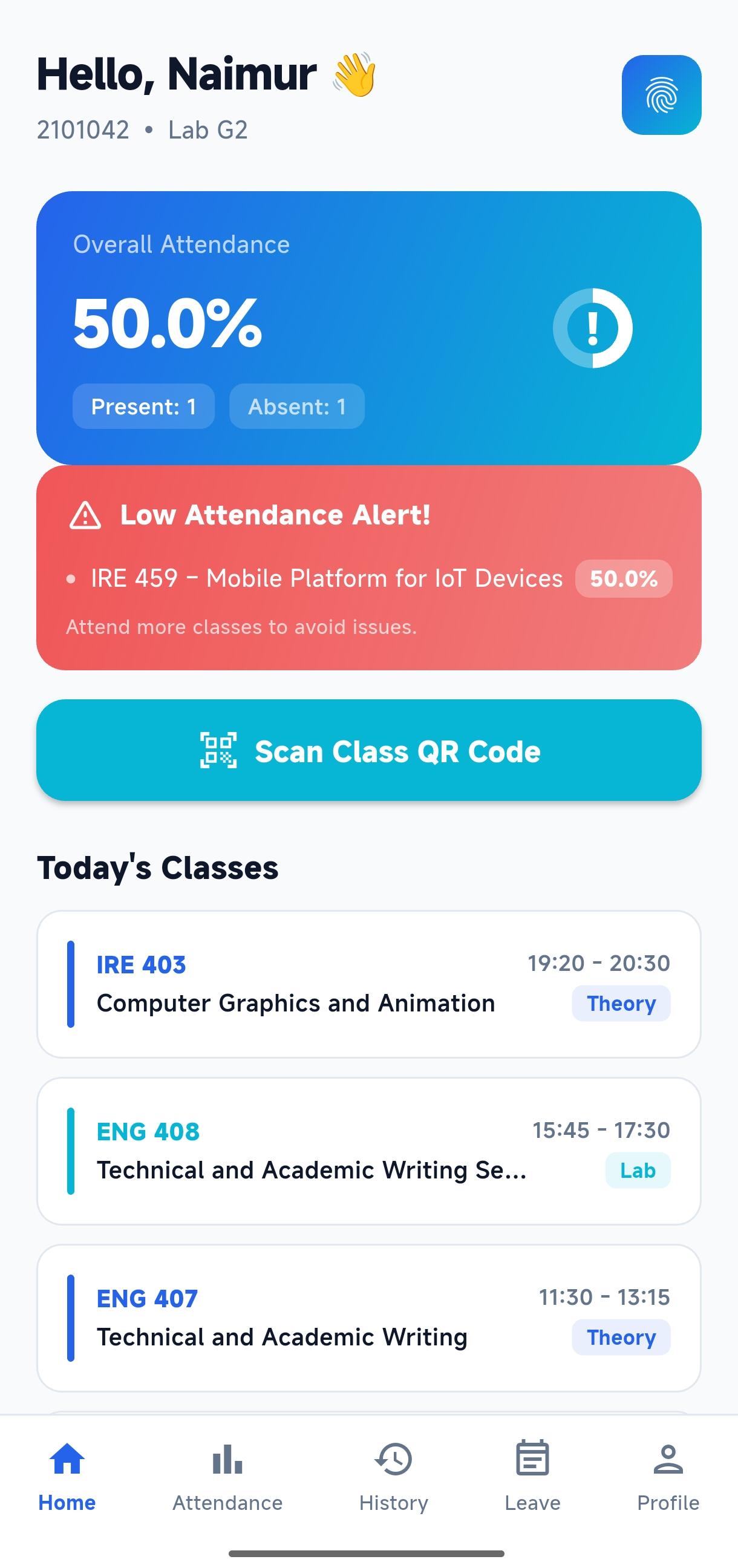
Student Dashboard

System Architecture

Macro Ecosystem Workflow

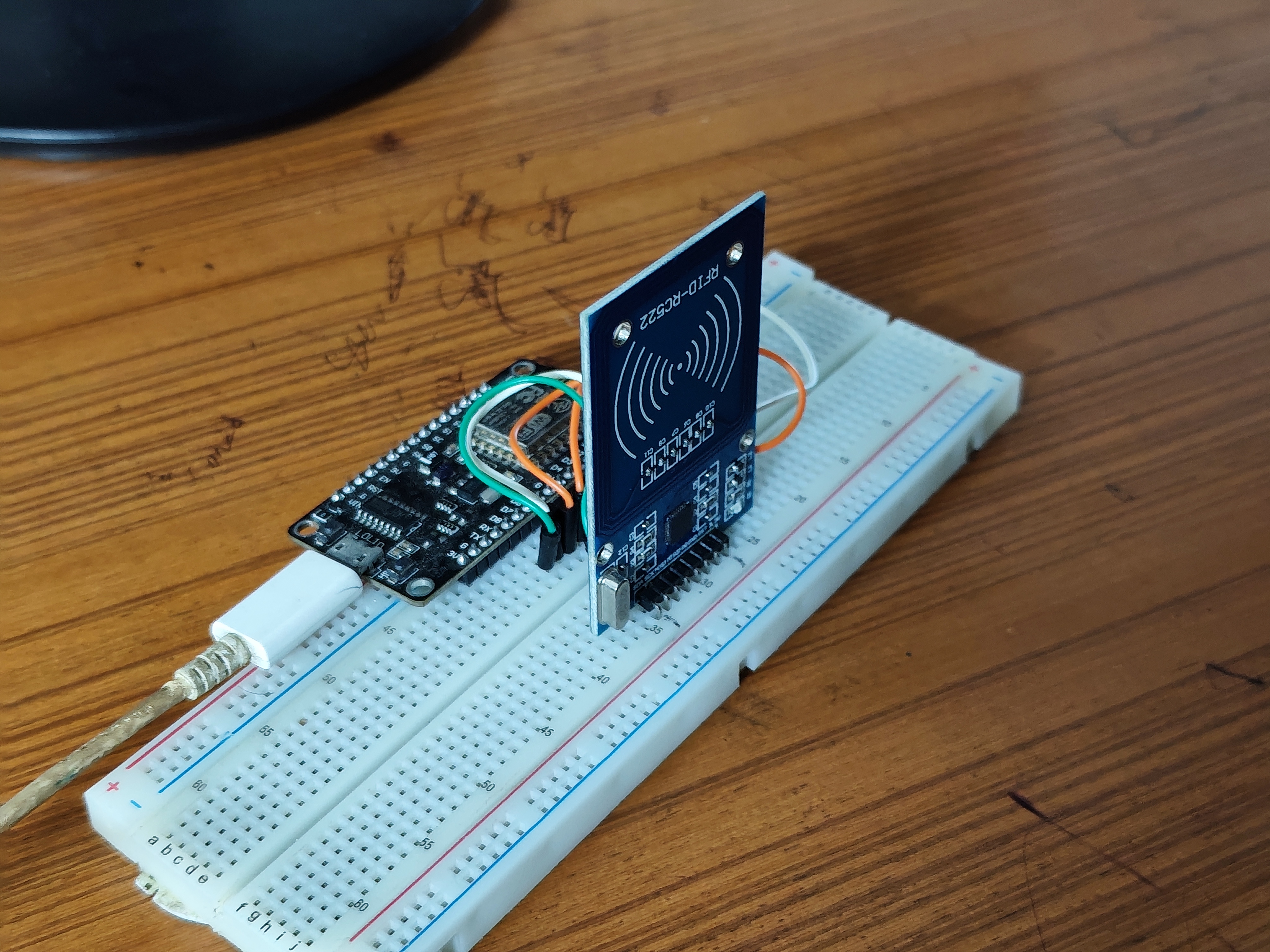
IoT Hardware

NodeMCU ESP8266
+ RC522 RFID Reader

Scans 13.56 MHz physical
cards. Sends HTTP POST
to Supabase.
Backend Cloud

Supabase Postgres
+ Edge Functions

Validates user, checks
schedule, inserts
attendance records.
Client Application

Flutter cross-platform
mobile app.

Real-time UI for Students
& Admins via
Supabase streams.

IoT Layer Deep-Dive

Hardware Node: Internal Logic

NodeMCU + RC522 Circuit Diagram
RC522 → NodeMCU Pins
RC522 GPIO Board
SDA (SS) GPIO 15 D8
RST GPIO 0 D3
MOSI GPIO 13 D7
MISO GPIO 12 D6
SCK GPIO 14 D5
GND GND GND
3.3V 3.3V 3V3
Reads 13.56 MHz RFID card UID
e.g., EBACC836
via SPI protocol.
3-Second Cooldown!
Prevents double-tap entries on the
same card.
Sends HTTP POST to Supabase Edge
Function with the
scanned UID.
Wait for Card
Read 13.56 MHz UID
(e.g., EBACC836)
HTTP POST
to Supabase
3-Second
Cooldown
Prevents
double-tapping

Backend Layer

Backend Cloud: Database & Logic

Database Schema
users
(Core Profiles)
subjects
(Academic Courses)
class_schedules
(Timetables)
attendance_logs
(Core Records)
leave_applications
(Requests)
The Edge Function
{"rfid_uid": "<CARD_UID>"}
↳ Looks up student
↳ Checks schedule
↳ Inserts log securely
Edge Function

Receives RFID UID
via HTTP POST:
{"rfid_uid":"EBACC836"}
Validates UID →
checks active schedule
→ inserts into
'attendance_logs'
Row Level Security
Students only see
their own records.
Admins see all.

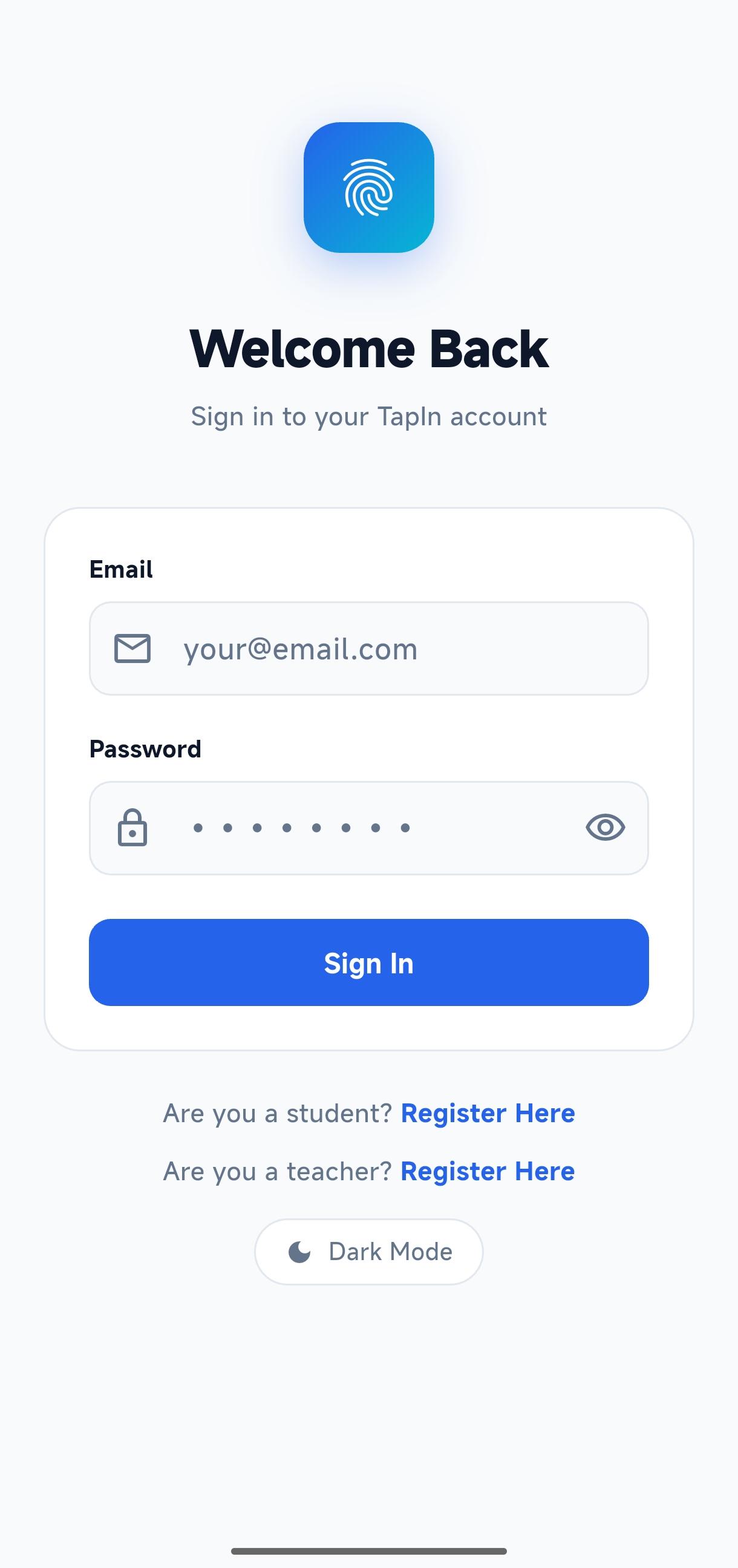
Authentication Flow

Login Screen

App Screen

01 / 11

Summary

Key Design Decisions

90% Threshold

Students must attend
90% of classes to get
full marks. Approved
leaves count as present.
Geofence Security

Students can only scan
the teacher's QR code
if their GPS shows they
are inside the classroom.
Auto Lab Groups

The app reads the last
3 digits of the student
ID to automatically put
them in Lab G1 or G2.
Dual Attendance

Students can mark
attendance by tapping an
RFID card or scanning
the Teacher's QR code.
3-Sec Cooldown

The IoT scanner ignores
the same RFID card for
3 seconds to stop
accidental double taps.
Secure RFID Link

An Admin must manually
link a physical RFID
card to a student's
account before it works.